FastReport Open Source 2026.2
New Features
.NET 10 support
We have added .NET 10 support for FastReport .NET, FastReport.Core, FastReport.Core.Skia, FastReport.WPF, FastReport.Avalonia, as well as FastReport.Web, FastReport.Web.Skia, and FastReport.Blazor.Wasm. This platform improves application performance and adds many new features to your projects.
You can read about the changes in our article at this link.
Changing the shape of QR code modules
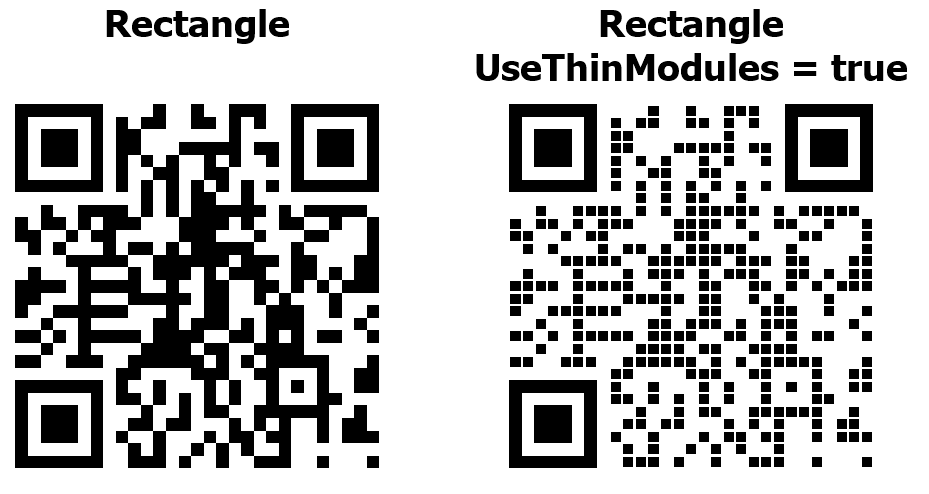
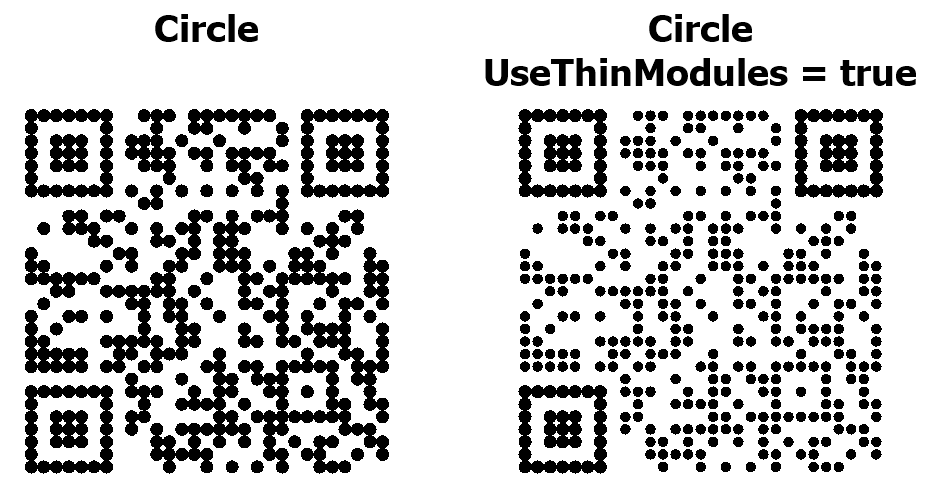
A QR code consists of dots called modules. By default, they are rectangle. Starting with version 2026.2, module shapes can be changed and customized. In addition to the rectangle, nine new module shapes are now available: circle, diamond, rounded square, horizontal pill, vertical pill, plus, hexagon, star, and snowflake.
Beyond module shape, you can now specify their rotation angle (the Angle property). You can also make the QR code less dense by making each module smaller using the UseThinModules property. This latter property does not affect the Finder patterns (the large squares in the corners of the QR code), as they help scanners determine the code's boundaries and dimensions.
A standard QR code looks like this:
And this is the code with modules in the shape of a circle:
Although new modules allow for more diverse and interesting codes, it's important to remember that not all scanners can read these QR codes equally well.
Read more about the new properties and their use in our article.
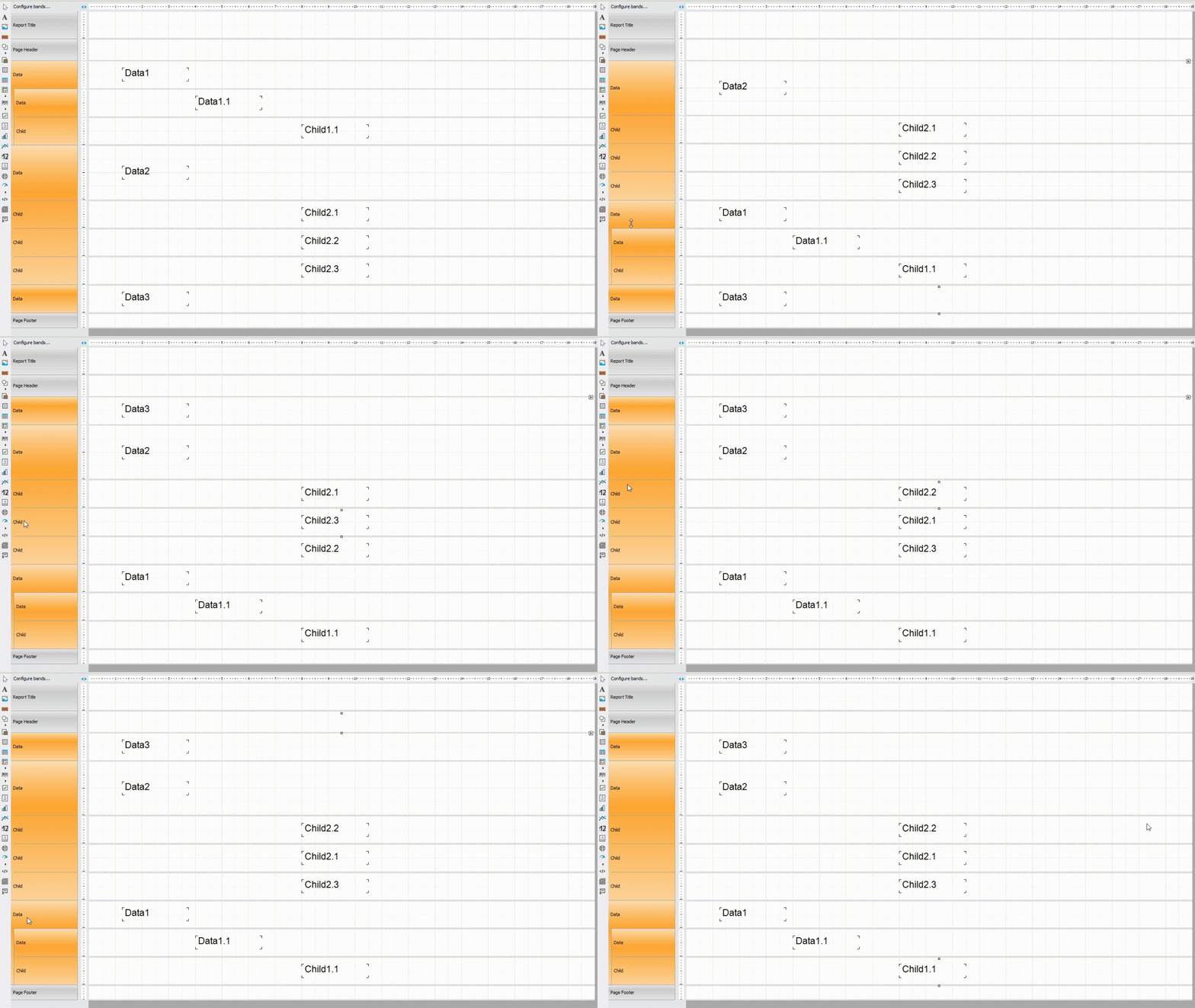
Moving bands in the designer
Our reports can have multiple band types, each with a different purpose. For example, the report title is always at the top of the report. Another example is the page footer, which is located at the bottom of every page. The relative positions of these bands cannot be changed.
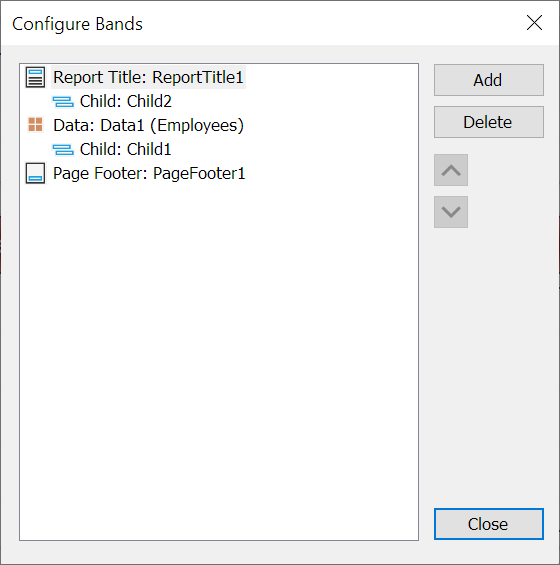
However, there are types of bands that can have multiple instances, and their relative positioning may change. For example, a report might have three data bands.
Previously, their position could only be changed in a special band settings window:
Now you can move bands directly in the designer by simply dragging them:



Comments
Post a Comment